Documentation
Prerequisites:
- Java 7 JRE installed
- MySQL server installed with a database and tables
(
Note: Only tables with primary keys and INTEGER/FLOAT/VARCHAR columns are recognized)
Connect
When the dbMark is initialized, the user is prompted to provide all necessary information to connect to
a MySQL database (host DNS name, port, username, password and database name). If the database that needs
to be tested for watermarking purposes contains sensitive data, such as might pertain to enterprise
dealings, funds and customer information, and which needs to be protected, the dbMark is able to connect
using the SSL (Secure Sockets Layer) connectivity protocol and exchange the information encrypted.
When the connection is established, the user can select a choice of operations in order to proceed:
Watermark, Attack, Benchmark, or Create Plugin.
Watermark
The user is prompt choose a watermarking scheme from the existing implementations (plugins), the
configuration values for the watermarking scheme's parameters, and the database table that will be
watermarked. Each scheme requires different underlying data and every time another scheme is selected
only tables with a schema compliant to the watermarking scheme are displayed (e.g. underlying data:
integers
displays tables containing only integer columns). The benchmarking suite supports single and multiple
watermarking, i.e. the watermarking of one table or simultaneously more than one tables and the multiple
sequential watermarking of a data table using a user-defined sequence of specific watermarking
techniques.
Attack
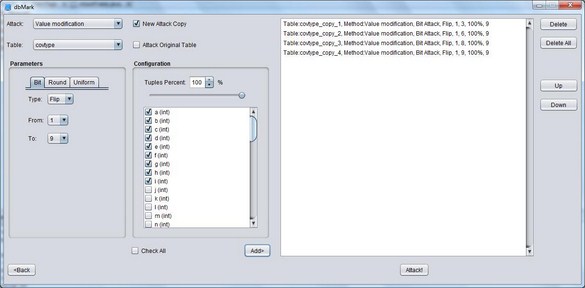
The user is able to select and launch an attack on a data table (which can be either watermarked or
non-watermarked). Firstly, the user can choose an attack from the dbMark’s existing implementations and
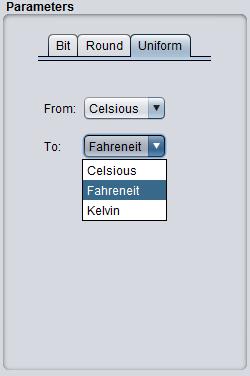
the targeted data table. Then the user can configure the attack's predefined parameters and the parts of
the table that will be attacked, i.e. which fields and/or tuples will be targeted by the attack. The
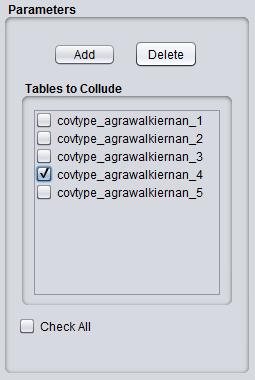
system supports single and multiple attacks, i.e. attacks to one or more table at the same time and the
multiple sequential attack of a data table using a user-defined sequence of specific attacks. Just like
during watermarking, each attack requires different underlying data and every time another attack is
selected
only tables with a schema compliant to the attack are displayed.
Benchmark
Benchmark operation utilizes the Watermark and Attack components to measure the efficiency of relational
databases watermarking techniques on specific user-predefined datasets. During and after the completion
of the operation of the Watermark component, depending on the type of the underlying data
(i.e., numeric, alphanumeric or categorical) and also depending on the chosen watermarking scheme,
the Benchmark component runs specific metrics to evaluate the scheme' performance on the un-attacked
underlying relational table, e.g. embedding time; detection reliability; etc. During the Attack
operation, the Benchmark component runs metrics that suit the chosen attack to measure its
effectiveness,
e.g., the attack's execution time; the data usability after the attack; etc. Also on the completion of
the Attack operation, the Benchmark component runs the watermark recovery process of the chosen
watermarking
method in order to measure the watermarking scheme's efficiency after the attack, e.g. the detection
execution
time and success rate; etc.
Visualization
The dbMark collects and stores the measured benchmark results of all phases and can illustrate them
using
the Visualization component into comparative data tables or/and a rich set of configurable data charts
which can be extracted in a text form or/and at an image format, correspondingly. This process is
especially useful to researchers who aim to illustrate the evaluation results of multiple schemes or
attacks under the same fair environment for comparison purposes. There are three layers of
visualization:
For every attack family (e.g. Value modification attacks) a seperate panel is displayed containing the
results in text and in a set of graphs. On the second layer we assign one panel containing a set of
graphs
for each of the well-known 3-phase operation of watermark benchmark platforms (Embed, Attack, Detect).
Finally on the last layer we have the aforementioned set of graphs, each one of which corresponds to an
evaluation metric which is dedicated to one of the 3-phase operation.
Create Plugin
Users can create their own plugins and load them into the dbMark's local installation for their personal
use. There are three categories of plugins that can be created through this component: Watermark, Attack
and Metric plugins. In the creation of a new plugin, the basic information that needs to be specified is
the name of the plugin, the type of the underlying data (numeric, alphanumeric and categorical) on
which it can be applied as well as the set of parameters accompanied by their type. Depending on the
category of the plugin, the dbMark provides a data form with all kinds of information that also needs to
be specified. The input form for a new watermarking plugin will ask what type the watermarking scheme is
(robust, fragile, or fingerprinting) and what is the set of its operating parameters; the input form for
a new attack plugin will ask for the information regarding the set of its operating parameters; and,
finally,
the input form for building a new metric plugin will ask for the phase in which the metric will be
activated to run, i.e., during the execution of the Watermark, or of the Attack or the Benchmark
components.
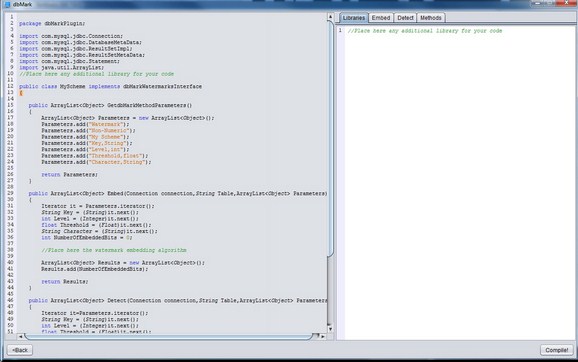
With all these information the dbMark produces a template of java code with implementation prompts that
can
be extracted to let the user create a valid dbMark plugin.